From Visual Inspiration to Three-Dimensional Concepts
Architectural and spatial design often begins with visual references. A designer might collect photographs of furniture, decorative objects, building details, sculptures, or landscape elements before developing a concept. These references help establish a project’s visual direction, but translating them into usable three-dimensional assets can take considerable time. Traditional modeling requires technical knowledge, while searching for existing assets may not produce objects that match a project’s specific requirements.
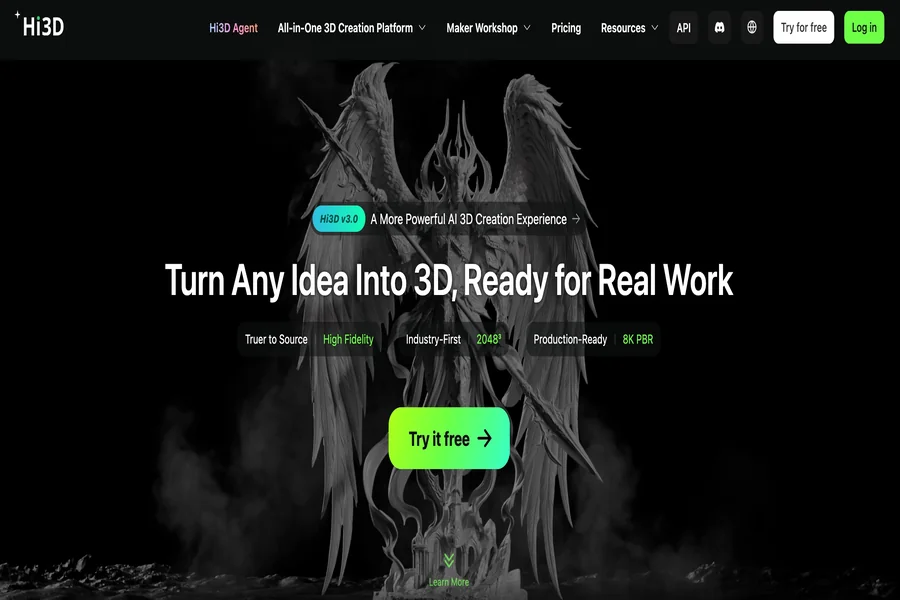
Hi3D offers an AI-powered approach to this early stage of digital creation. As an AI 3D model generator free tool, the platform transforms images and text descriptions into three-dimensional models, helping users explore ideas without building every object from scratch. Designers can use these capabilities to develop preliminary assets, compare visual directions, and communicate concepts more clearly.
For example, someone planning a modern living room could use reference images of a distinctive chair, lamp, or decorative sculpture to develop digital objects for a visual presentation. A landscape designer might explore individual decorative elements, while a student working on an architectural concept could create models of objects that support the overall design.
These outputs should be treated as starting points rather than automatically production-ready architectural components. Structural accuracy, dimensions, and other technical requirements still need to be checked using appropriate design tools. Nevertheless, generating an initial three-dimensional representation can make visual exploration more accessible and help reduce the distance between an idea and a workable concept.
Building Digital Objects From Images
Images communicate visual information quickly, which makes them useful starting points for spatial design. A photograph can capture the silhouette of a decorative object, the proportions of a piece of furniture, or the distinctive appearance of an architectural detail. However, a two-dimensional image does not provide a complete three-dimensional representation.
Hi3D’s image-to-3D generation workflow helps bridge this gap by enabling users to turn a picture to 3D model from a visual reference.. Users can upload supported image formats, including JPG, PNG, and WEBP, and generate a three-dimensional asset for further inspection and refinement.
The quality of the reference image matters. Clear subjects, visible contours, and limited visual clutter can make it easier for an AI system to interpret an object. When a subject is partially hidden or blends into its background, the generated result may contain uncertain geometry. For objects with complex shapes, additional reference views can provide useful information about their form.
This process can be helpful when a design team needs a preliminary representation of an object that is difficult to find in an existing asset library. Rather than spending time modeling an initial version manually, users can generate a draft and decide whether it is suitable for their intended presentation.
There are also important limitations. A model generated from one photograph may not reproduce hidden surfaces accurately, and an attractive visual result does not guarantee correct measurements. For professional architectural documentation, construction planning, or engineering work, AI-generated assets should not replace verified CAD or BIM models. Their value is primarily in visual exploration, concept development, and the creation of supplementary assets.
Exploring Ideas Through Text-Based Generation
Not every design concept starts with a finished image. Sometimes a designer has a written description but has not yet found a reference that captures the intended appearance. In these situations, text-to-image generation can help translate an abstract idea into visual directions.
Hi3D includes a text-to-image feature that can generate multiple images from a prompt. Users can explore different appearances, materials, and stylistic directions before selecting a visual reference for further development. This can be useful during early brainstorming, when the goal is to compare possibilities rather than commit immediately to a final design.
Consider a designer preparing a concept for a boutique hotel. The initial direction might call for sculptural lighting, organic decorative forms, and contemporary furniture. By describing these elements, the designer can explore possible visual interpretations and identify details worth developing into three-dimensional assets.
A similar approach can support exhibition planning, retail displays, and themed interior concepts. Designers may explore futuristic product stands, nature-inspired ornaments, or distinctive decorative objects that contribute to a particular atmosphere.
The key advantage is flexibility. Instead of requiring a complete design specification at the beginning, the workflow allows ideas to develop through repeated visual exploration. Users can adjust their prompts, compare results, and select a direction that better matches the project’s needs.
Text-based visual generation does not eliminate the need for design judgment. Generated images may contain inconsistent details or impractical forms, and the visual appearance of an image does not guarantee that the corresponding object can be modeled or manufactured exactly as shown. Designers should use the outputs as references, evaluate their suitability, and refine the concept before incorporating it into a final presentation.
Creating Assets for Interior and Exhibition Concepts
Interior design and exhibition planning involve more than arranging walls and defining circulation. Decorative objects, furniture, display elements, and focal pieces can strongly influence how a space is perceived. Even when these objects are not the main subject of a project, they help communicate its style and intended atmosphere.
Hi3D can support this process by helping users create individual three-dimensional objects that contribute to a larger visual scene. A designer developing a retail display, for instance, may need unusual decorative pieces that reinforce a brand’s visual identity. A gallery planner might want preliminary representations of sculptures or display objects to communicate how an exhibition could look.
Creating these assets individually can offer more flexibility than relying entirely on generic models. Users can start with reference images or written descriptions, generate preliminary assets, and select the objects that best fit the concept. These models can then be evaluated for their visual consistency with the rest of the presentation.
This approach is especially useful during concept development, when the project may still change significantly. A team can test alternative decorative directions or replace a visual element without committing to the time and expense of producing a physical prototype.
However, a generated object should not automatically be treated as a dimensionally accurate component of a room or exhibition. Furniture clearances, accessibility requirements, mounting systems, fire safety, and other practical considerations must be assessed separately. Hi3D is most useful here as a tool for developing visual assets, not as a substitute for professional space-planning software or regulatory review.
Developing Three-Dimensional References for Architecture
Architectural concepts often combine large-scale forms with smaller details. A presentation may include a building massing study, surrounding landscape, outdoor furniture, decorative installations, or other objects that help explain the intended environment. While specialized architectural software remains essential for precise building design, supplementary three-dimensional assets can enrich early visual communication.
Hi3D can help users develop certain standalone objects from images or descriptions. These objects may serve as visual references for a presentation, mood board, or conceptual scene. For example, a designer exploring a public plaza might create preliminary representations of sculptural features, planters, or decorative structures to illustrate the atmosphere of the proposed space.
The platform’s 3D relief capability can also be relevant when a project involves raised decorative imagery or surface-oriented designs. Reliefs can help explore how a graphic, emblem, or ornamental pattern might appear as a dimensional element. The generated result may provide a starting point for further modeling or fabrication, depending on the requirements.
Care is needed when working with architectural details that depend on exact geometry. A generated model may have irregular proportions, incomplete surfaces, or details that do not match a reference precisely. Elements intended for construction, structural analysis, or installation need appropriate technical modeling and validation.
For that reason, AI-generated objects are best incorporated selectively. They can support visual storytelling and help communicate design intent, while precise building geometry and technical documentation remain within established architectural workflows.
Preparing Assets for Different Design Workflows
A three-dimensional model becomes more useful when it can move between compatible applications and production stages. Designers may need to review an object in a modeling tool, place it in a presentation scene, share it with a collaborator, or prepare it for a different form of production. File compatibility therefore matters alongside visual quality.
Hi3D supports several common three-dimensional formats, including OBJ, GLB, STL, FBX, USDZ, and 3MF. Different formats serve different purposes, and the best choice depends on the intended workflow. Some are commonly used for exchanging geometry, some support real-time or interactive experiences, and others are associated with additive manufacturing.
Before exporting an asset, users should consider where it will be used next. A model intended for a real-time presentation may need suitable materials, manageable geometry, and compatibility with the target application. A model intended for 3D printing requires a different set of checks, including dimensions, mesh integrity, wall thickness, and print orientation.
Exporting a model does not guarantee that it will work perfectly in every application. Materials may require adjustment, scale may need verification, and geometry may need repair. A model can also look convincing from one angle while containing defects that become apparent during editing or manufacturing.
A practical workflow therefore includes checking the exported file in its destination application. This extra step helps identify compatibility issues early and reduces the likelihood of discovering problems during a later production stage.
Improving Visual Consistency Across a Project
A design presentation often includes assets created at different times or obtained from different sources. Even when each object looks attractive on its own, the collection may feel inconsistent. Differences in surface appearance, detail level, proportions, and visual style can distract from the central design idea.
Hi3D’s stylized texture capabilities can help users explore different visual treatments for three-dimensional assets. This is relevant when a project needs a consistent artistic direction, such as a stylized exhibition concept, a game-like architectural visualization, or a presentation with a clearly defined visual identity.
Texture and material choices influence how an object is perceived. A simple form can appear playful, industrial, elegant, or futuristic depending on its surface treatment and overall presentation. Exploring these options early can help a designer determine whether an object fits the project’s intended style.
Nevertheless, visual consistency requires more than applying a similar texture. Scale, silhouette, lighting, camera perspective, and the level of geometric detail also affect how assets work together. Designers should review objects in the context of the complete scene instead of judging each model in isolation.
For projects requiring realistic material behavior, additional work may be necessary in a dedicated rendering or visualization application. Hi3D can help generate and develop assets, while final lighting, composition, and scene integration can be handled according to the team’s established workflow.
Supporting Collaboration and Design Communication
Three-dimensional assets can make discussions about a design more concrete. A written description may communicate the general idea of an object, but a model gives team members a visual reference they can inspect and discuss. This can be particularly useful when clients, designers, and other stakeholders interpret a concept differently.
Hi3D can help teams produce preliminary assets for discussion before investing in detailed manual modeling. A designer might prepare several object variations to compare during a review, or create a rough representation of a decorative feature to explain its intended form.
These assets can support early conversations about appearance, style, and creative direction. They can also help identify disagreements before a project moves into more expensive stages of development. When stakeholders can respond to a concrete visual reference, feedback may become more specific than it would be during a discussion based only on text.
It is still important to communicate the status of AI-generated work clearly. A preliminary model should not be presented as a final engineering specification or an approved construction document. Teams should identify which details are conceptual, which have been verified, and which require further development.
This distinction helps establish realistic expectations and prevents visual mockups from being mistaken for technically validated designs.
Understanding the Limits of AI-Generated Models
AI-generated three-dimensional assets can accelerate early exploration, but their limitations should be considered as part of the workflow. The output depends on the reference material, the complexity of the subject, and the requirements of the intended application.
Small decorative objects with clearly visible shapes may be suitable for initial experimentation. Objects with intricate mechanical components, concealed structures, or strict dimensional requirements generally demand more careful verification. Similarly, a model that looks complete in a viewer may still require mesh repair or other adjustments before it can be used elsewhere.
Designers should also consider the rights associated with their source materials. Before uploading reference images or using generated assets in a commercial project, they should ensure that they have the necessary permissions and review any applicable platform terms. Images containing confidential project details should be handled according to the organization’s privacy and data-management requirements.
A sensible process is to evaluate generated models against a clear purpose. If the goal is to communicate an overall visual direction, a preliminary asset may be sufficient. If the goal is fabrication, installation, or technical coordination, the model needs a more rigorous review and may require substantial additional work.
The objective is not to use AI for every stage of design. It is to identify the stages where rapid generation can provide value while preserving professional standards for accuracy, safety, and quality.
Integrating Hi3D Into a Practical Design Process
Hi3D is most effective when used as one part of a broader creative workflow. Designers can begin by defining the purpose of an asset, collecting suitable references, and generating a preliminary model. They can then review its shape, appearance, and relevance to the project before deciding whether it needs further editing or should be replaced.
Once an asset meets the needs of the concept stage, users can export it in a suitable format and inspect it in the next application. Additional adjustments may include scale correction, material refinement, mesh repair, or scene-specific optimization. Projects involving physical production require their own validation steps before manufacturing begins.
This process allows teams to use AI where it offers the greatest benefit: generating initial possibilities, reducing the effort required to create visual references, and helping ideas become easier to discuss. It also keeps important technical decisions in the hands of the people responsible for the final result.
For architects, interior designers, exhibition planners, and other visual creators, Hi3D provides a way to explore three-dimensional ideas without requiring every concept to begin with detailed manual modeling. By combining image-based generation, text-driven visual exploration, texture tools, and flexible export options, it can contribute to the development of digital assets for early-stage design and presentation.
The value comes from using these capabilities with a clear purpose. When AI-generated models are treated as adaptable creative resources rather than automatically finished deliverables, they can help design teams explore more options, communicate concepts more effectively, and decide which ideas deserve further investment.

James is the creative mind behind worthelevate.com, with 4 years of experience writing hilarious puns, including food puns and animal puns. His witty articles add humor to everyday topics, making him a go-to for those seeking a fun twist on their favorite meals and animals.